

 <
<
|
Barcode Fonts 128 |
|
 |
Barcode fonts code 128 是一款條碼生成軟件,能輕鬆把用戶輸入的文字轉成 條碼code 128, Code 128 條碼發明於80年代初,是一種長度可變,連續性的字母數字條碼。管理公司財政及業務,以謀求成功生意之道。 比起其他條碼,Code 128是較複雜的系統,能支援數字,英文字大小階及符號,所以應用較廣。Code 128條碼的內容大致亦分為起始碼、資料碼、終止碼、檢查碼等四部份,其中檢查碼是可有可無的。因為已經推出了30年,使用十分廣泛。大部倉存貨運都使用Code 128 條碼,而且絕大部份的條碼掃描器均支援 Code 128條碼。 |
|
Code 128 比起其他條碼, Code 128 是較複雜的系統,能支援數字,英文字大小階及符號,所以應用較廣。 Code 128條碼的內容大致亦分為起始碼、資料碼、終止碼、檢查碼等四部份,其中檢查碼是可有可無的。 因為已經推出了30年,使用十分廣泛。 大部倉存貨運都使用Code 128 條碼,而且絕大部份的條碼掃描器均支援Code 128 條碼。
|
|
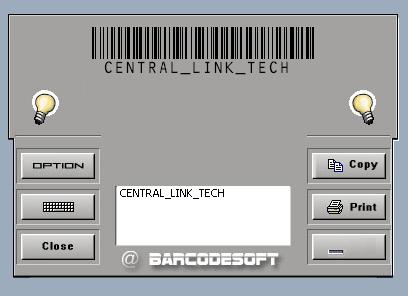
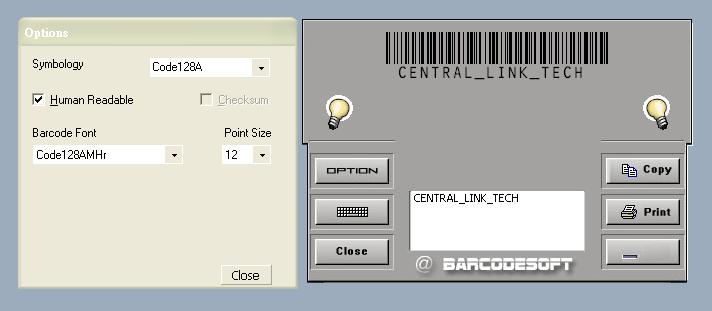
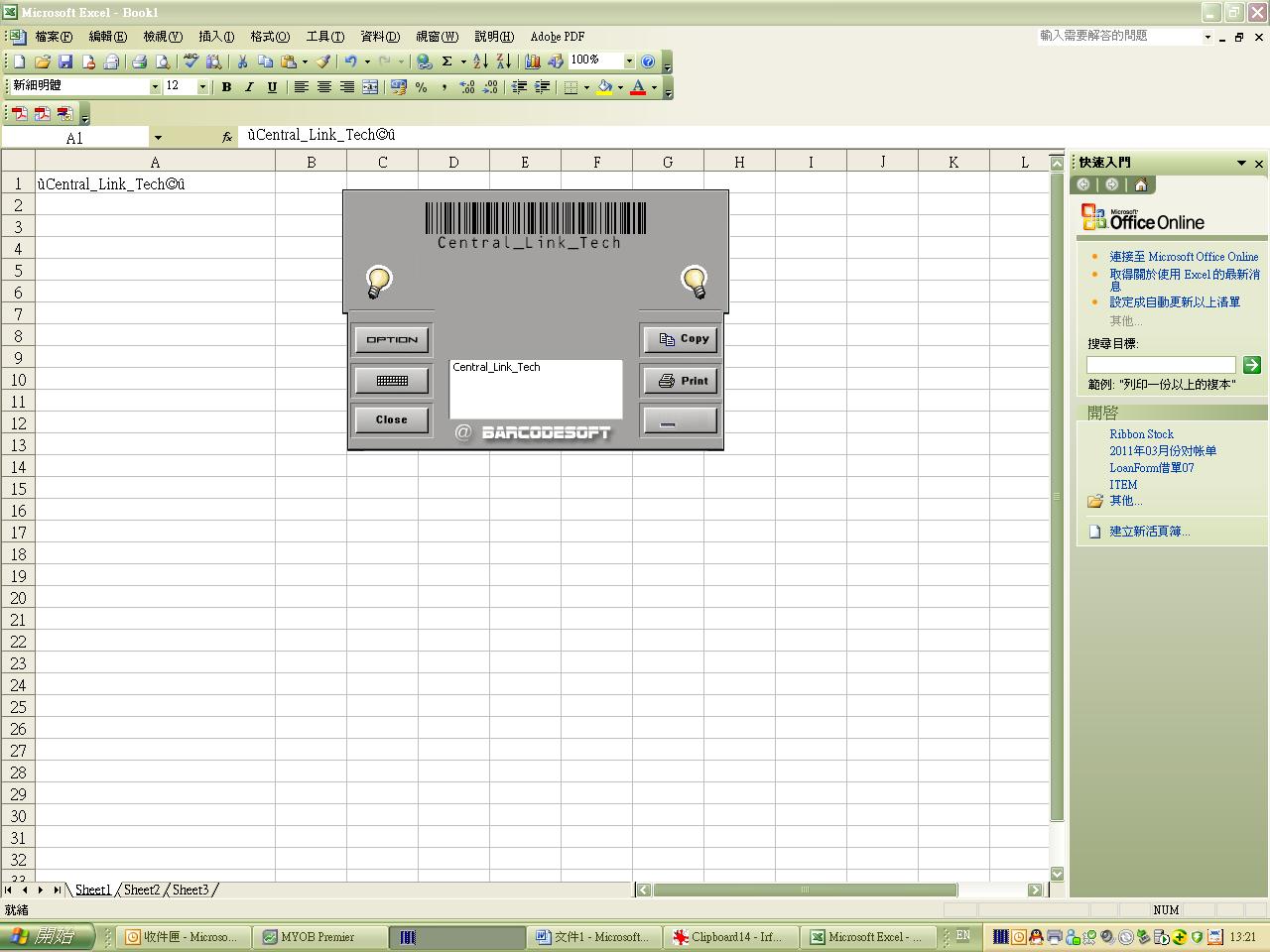
| 上圖為 Barcode fonts 128 的界面,只要把需要轉為Barcode的數值輸入到此軟件,再按copy,然後便可取得條碼。 |
|
在你使用Barcode fonts 128前,需要設定幾個步驟;
|
|
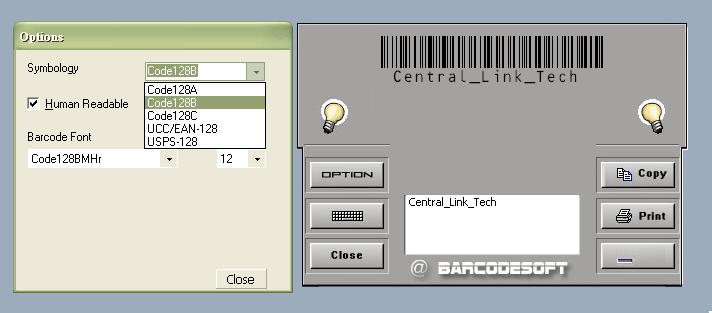
| 選擇條碼的種類, 分別是 Code128A, Code128B, Code128C, UCC/EAN-128, USPS-128。 |
|
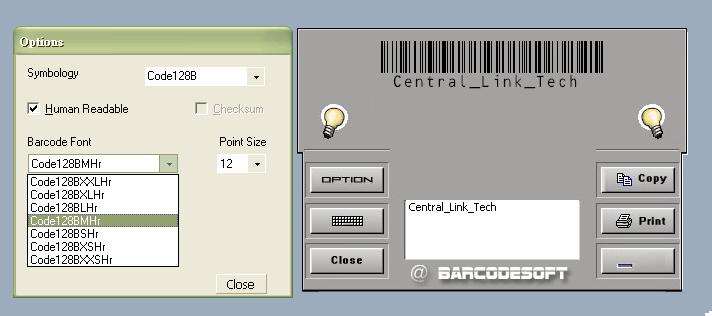
| 選擇條碼的等級 (闊度/高度)。 |
|
| 選擇條碼的等級 (闊度/高度)。 |
|
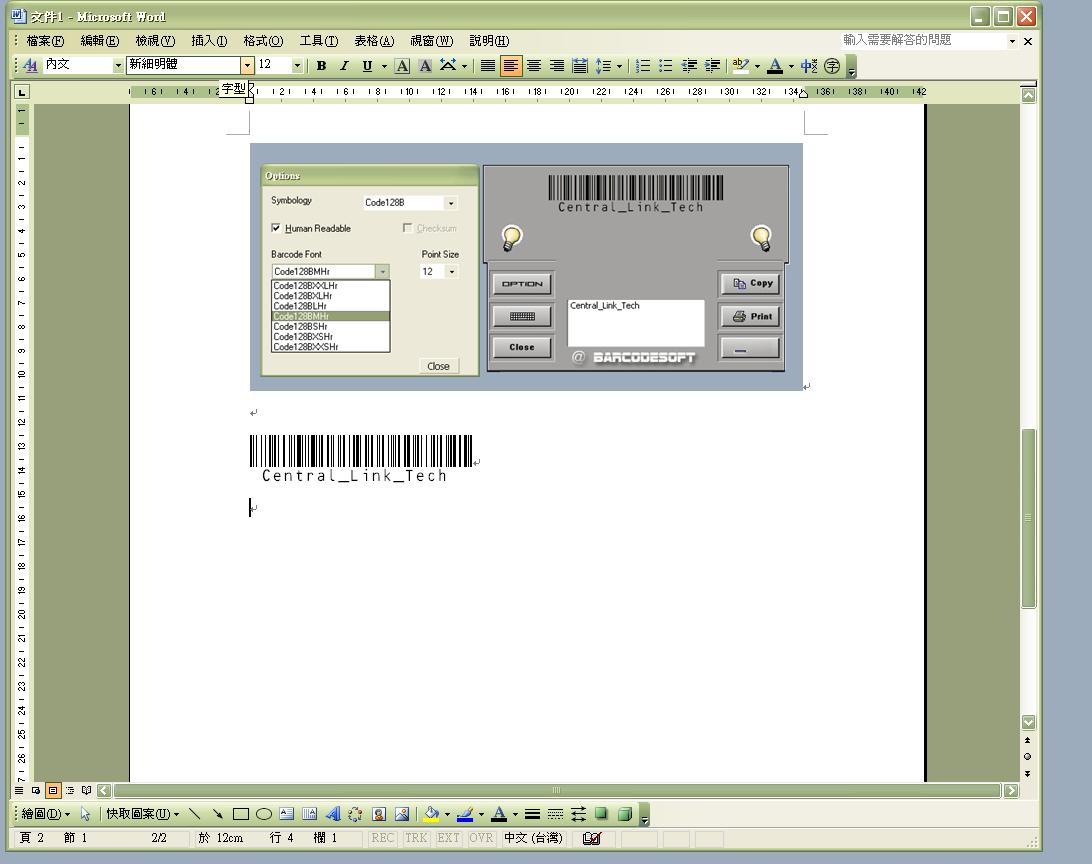
| 在空白格中輸入資料。按「複制」,然後貼在Word文件檔。 |
|
|
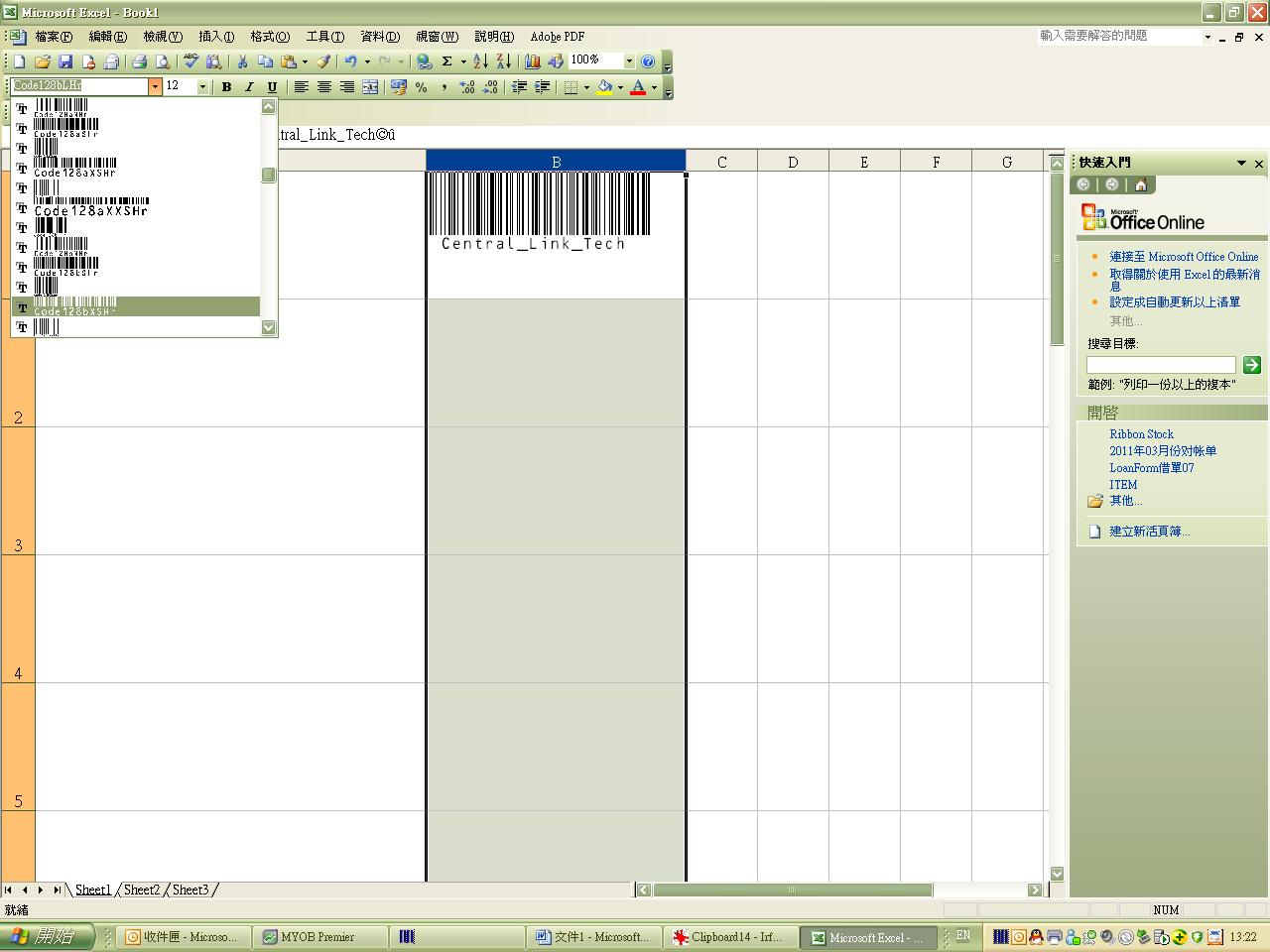
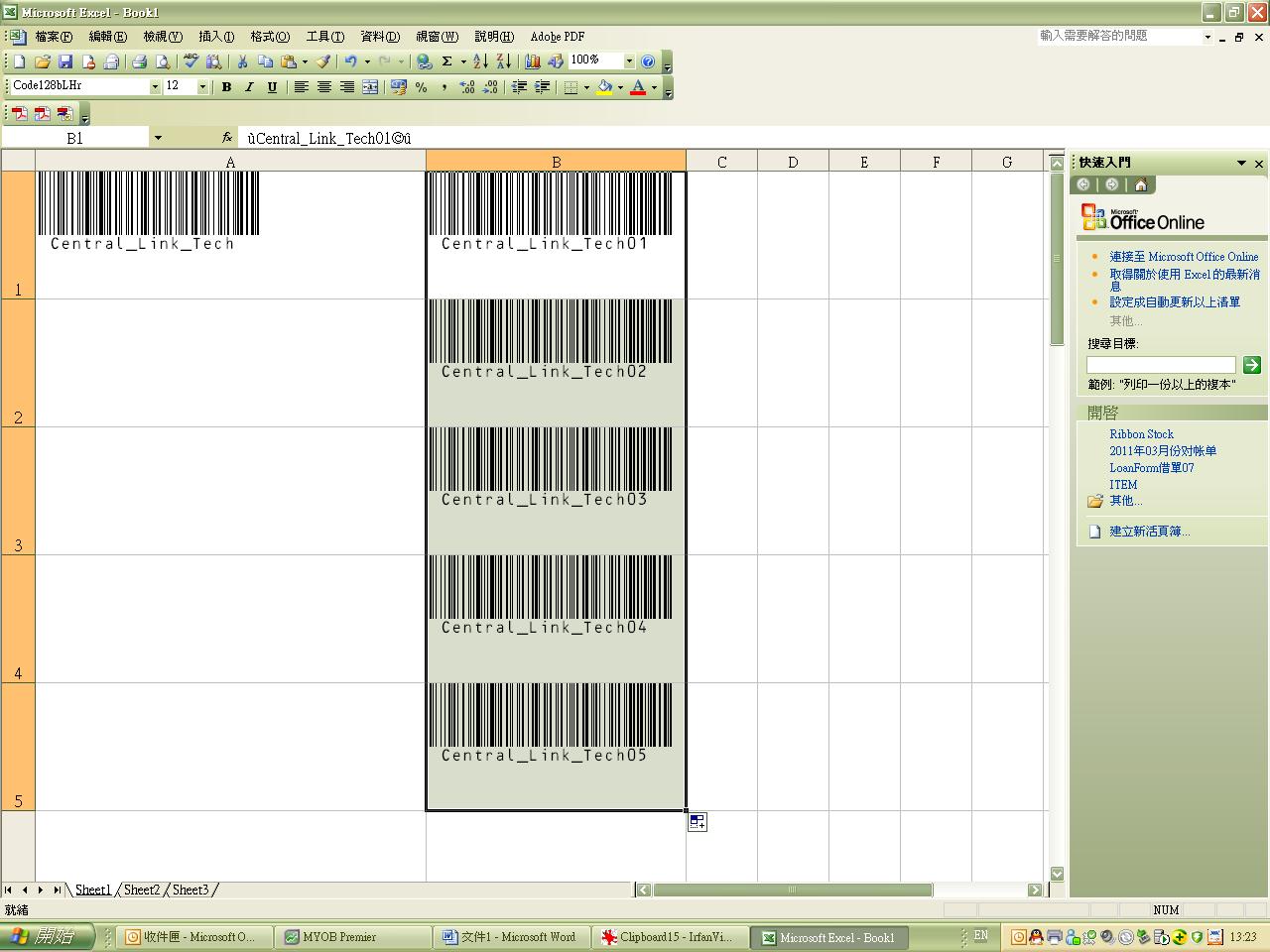
Barcode Fonts 128會於Excel文件中生產相應的條碼。 重複在Word文件中的步驟,將已複制的文字貼上Excel的空白格中,然後便能看到日期, 但Barcode Fonts 128內的日期將不受影響。 |
|
| 請選取特定的空格或者某一列,將文字改變成Code128 A/B/C/UCC…。 |







條碼掃描器 | 條碼打印機 | 標籤 | 證卡打印機 | 系統及軟件 | 色帶
Unit6 8/F Kingsford IND CTR, 13 Wang Hoi Rd, Kowloon Bay, KLN, Hong Kong
地址 : 香港 九龍灣 宏開道13號 景發工業中心 8/F 6室
Opening Hour: 11:00 – 19:00
取貨時間: MON-FRI 12:00-19:00 , 公眾假期及周六,日休息
Operation: 35419718 / 93595118
© 2007 Central Link Technologies Limited 版權所有,不得轉載。